Subjects Get Cropped Out
On mobile, object-fit: cover randomly decides what to keep. Faces, products, and key details disappear — your visual hierarchy gets amputated by an algorithm.
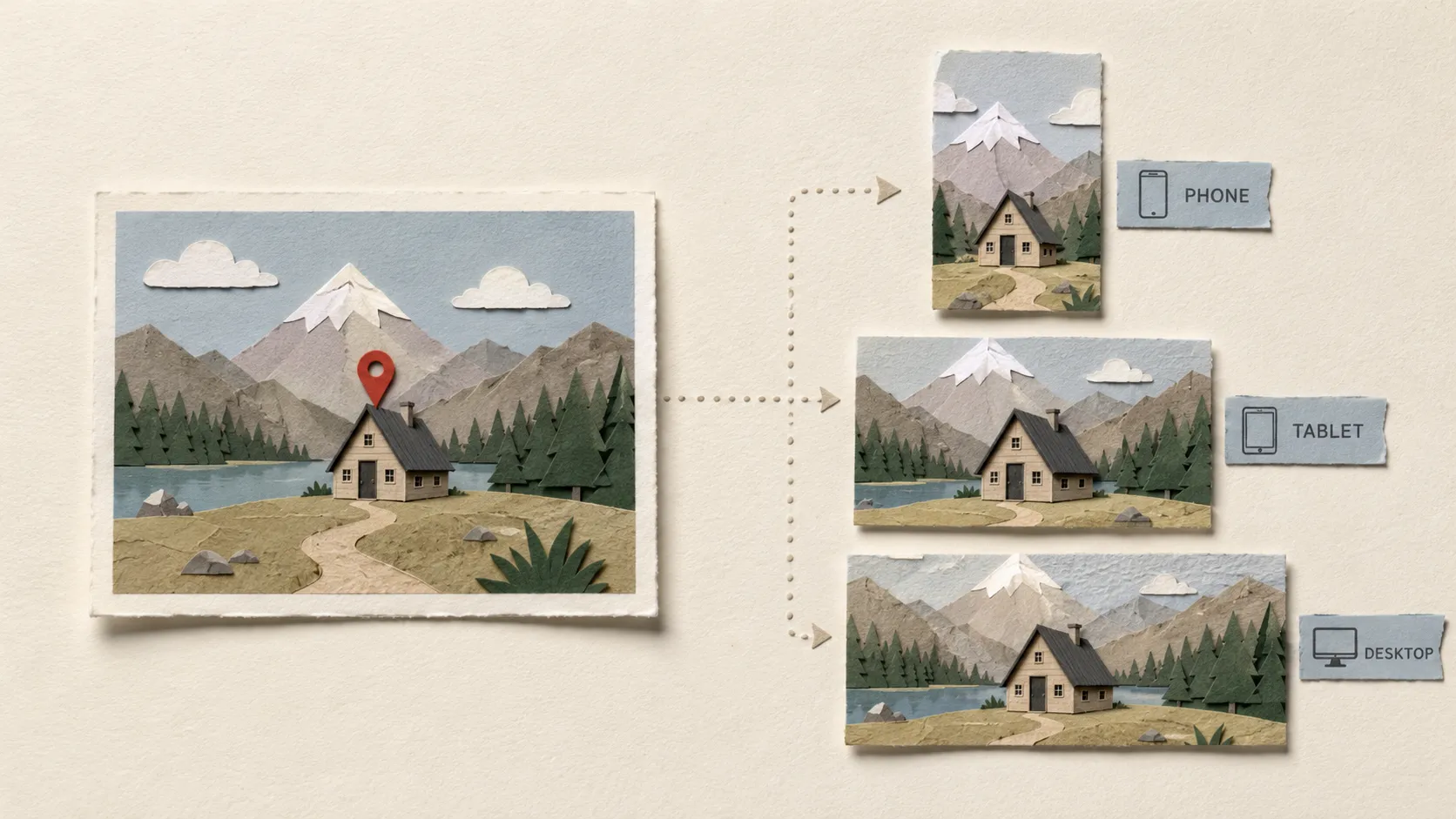
Upload one image. AI detects the focal point, generates production-ready crops for desktop, tablet, and mobile, and hands you the responsive code. No manual tweaks.
Using a single image across every breakpoint is not responsive design — it is Russian roulette with your visual hierarchy.
On mobile, object-fit: cover randomly decides what to keep. Faces, products, and key details disappear — your visual hierarchy gets amputated by an algorithm.
A 16:9 hero forced into 9:16 portrait. The background blows up, the subject slides off-center, and the art direction you carefully crafted is gone.
Your homepage needs a wide establishing shot. A product page needs a tight close-up. Locking one image to one crop guarantees it fails everywhere else.
Every layout redesign means manually re-cropping and re-exporting every breakpoint. Days lost to pixel-pushing that should be spent on building.
AI analyzes your image to find the main subject — person, product, or focal element — and auto-frames each breakpoint crop around it. No more guessing where the subject will land.
Generative AI outpainting extends your image to any aspect ratio. Landscape to portrait, square to ultra-wide — the subject stays centered while backgrounds fill naturally.
Generate default breakpoints and your own custom outputs in one click. AI adapts the composition for each screen, ratio, and campaign-specific size.
Export PNG assets with consistent filenames. Copy matching responsive React, Vue, or Svelte code — updated to match your crops. Ready to ship.
Start with the default responsive set, then add project-specific viewport sizes, aspect ratios, and output names. AI treats every custom breakpoint like a first-class crop target.
Wide hero, portrait story, square product crop — define the frame your layout needs.
Keep filenames readable for dev handoff, CMS uploads, and repeatable campaigns.
Mix default and custom breakpoints in the same generation run without extra setup.
Responsive output map
Landing Hero
2560×900
Campaign Tablet
1536×1152
Product Square
1200×1200
Social Story
1080×1920
Ship the exact image set your page was designed for.
One source image becomes production assets shaped around your real launch plan.
See how AI transforms a single image into breakpoint-ready outputs.
Portrait crops adapt to each device ratio while keeping the subject centered.
Phones
Tablets
Desktops
Responsive hero images optimized for real estate at every breakpoint.
Mobile
Tablet
Desktop
Drop in your source hero image.
AI detects the focal point automatically.
All breakpoints are produced in one click.
Download assets and responsive code, ready to ship.
One credit generates one AI-powered hero image output. Buy a pack, use it across projects. Credits never expire.
15 credits for AI-powered hero image generation. Transform any image into production-ready hero images for any platform.
15
credits included
Price
$9.90
Free vs Premium
One credit generates one AI-powered hero image output. Each generation run across your enabled breakpoints costs one credit per output. Unused credits stay in your account and never expire.
Upload JPG, PNG, or WebP source images up to 10MB. Export AI-generated outputs as PNG.
Source images are uploaded to our secure storage for AI processing and are not shared or reused. You can delete projects anytime.
Yes. The free manual cropper is always available. Premium adds AI analysis, batch generation, and project management for when you need to scale.
React (TSX), Vue, and Svelte. Each export includes responsive picture markup with matching classes and filenames.
Yes. All AI-generated outputs are yours to use in production websites, marketing landing pages, client projects, and any other commercial work. You retain full rights to every generated crop.
We'd love to hear from you. Reach out via support@heroimage.app or through our social channels. Bug reports, feature requests, and general feedback all help improve the product.
Most generations complete within 10–30 seconds depending on server load and image complexity. A progress indicator shows real-time status. Batch generation across all breakpoints may take slightly longer.
Because this is AI-generated, results can vary and won't always frame your subject perfectly on the first try. Factors like image composition, subject position, and background complexity can affect the output. You can regenerate as many times as needed until you're satisfied — credits are only consumed per successful output.
All credit purchases are final and non-refundable. Credits are consumed only when you successfully generate an output — if a generation fails, no credit is deducted. Unused credits never expire, so you can always use them later.
Join developers, designers, and marketers who use AI to ship production-ready hero assets in minutes.